How to Register as a Barber
Registering as a barber allows you to receive bookings and manage your working hours.
Step 1: Open the Registration Page
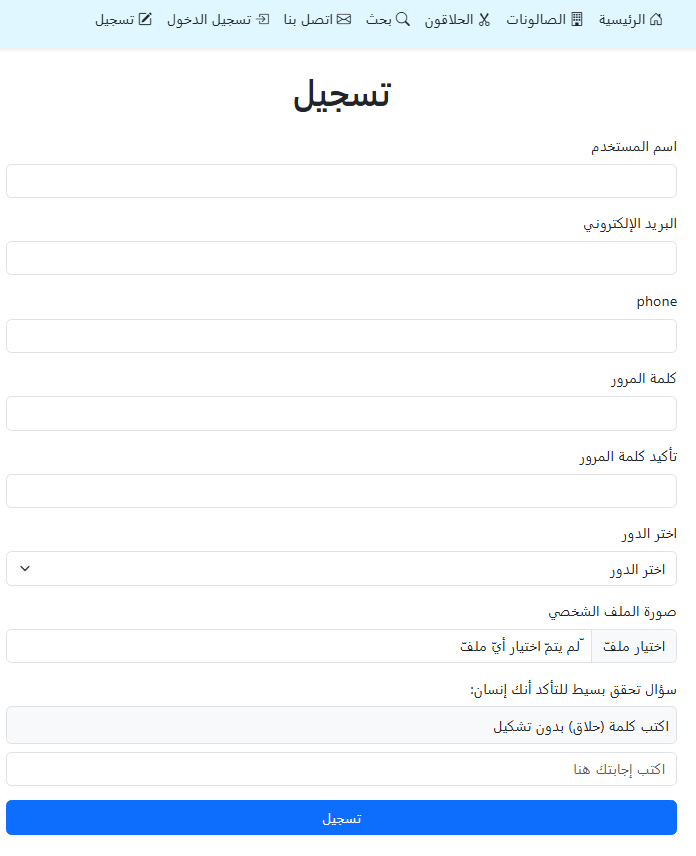
From the top navigation bar, click Register to go to the registration page.
Step 2: Fill in Barber Details
Complete the required fields such as:
- Username
- Email address
- Phone number
- Password and confirmation
- Upload a profile photo (optional)
Step 3: Select the Role (Barber) and Choose a Salon
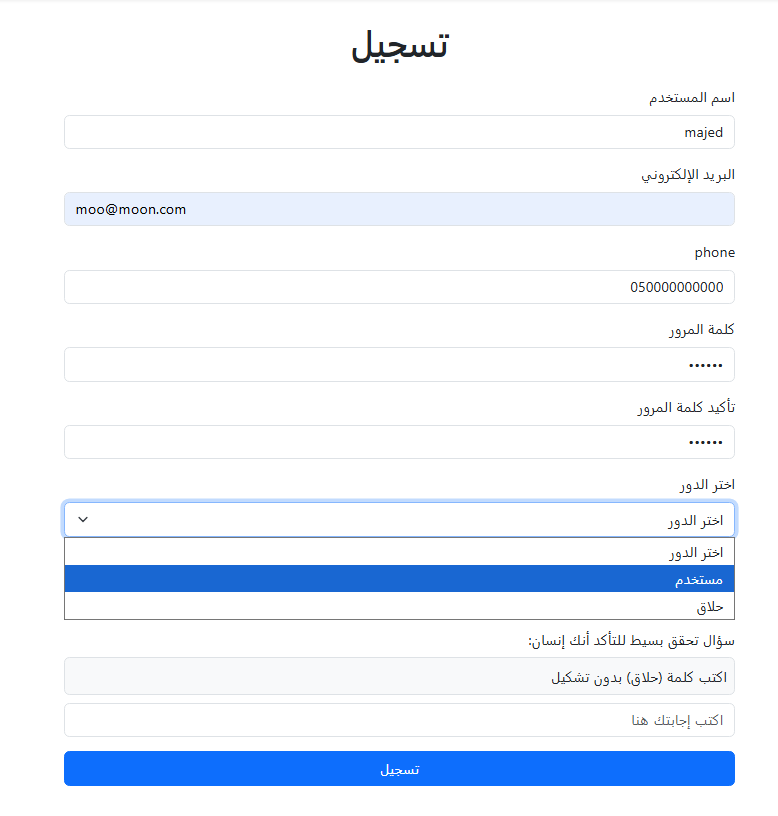
From Select Role, choose Barber, then select the salon you work at (or the salon you are linked to) as required.

Step 4: Verification and Submit
Answer the verification question, then click Register.

After approval (if required) and activation, you can log in and start receiving bookings.